Your Car Is a Data Collector: What Modern Vehicles Know About You
New cars don’t just drive—they record. Learn what data your vehicle can collect, who it can share it with, and how to reduce it.
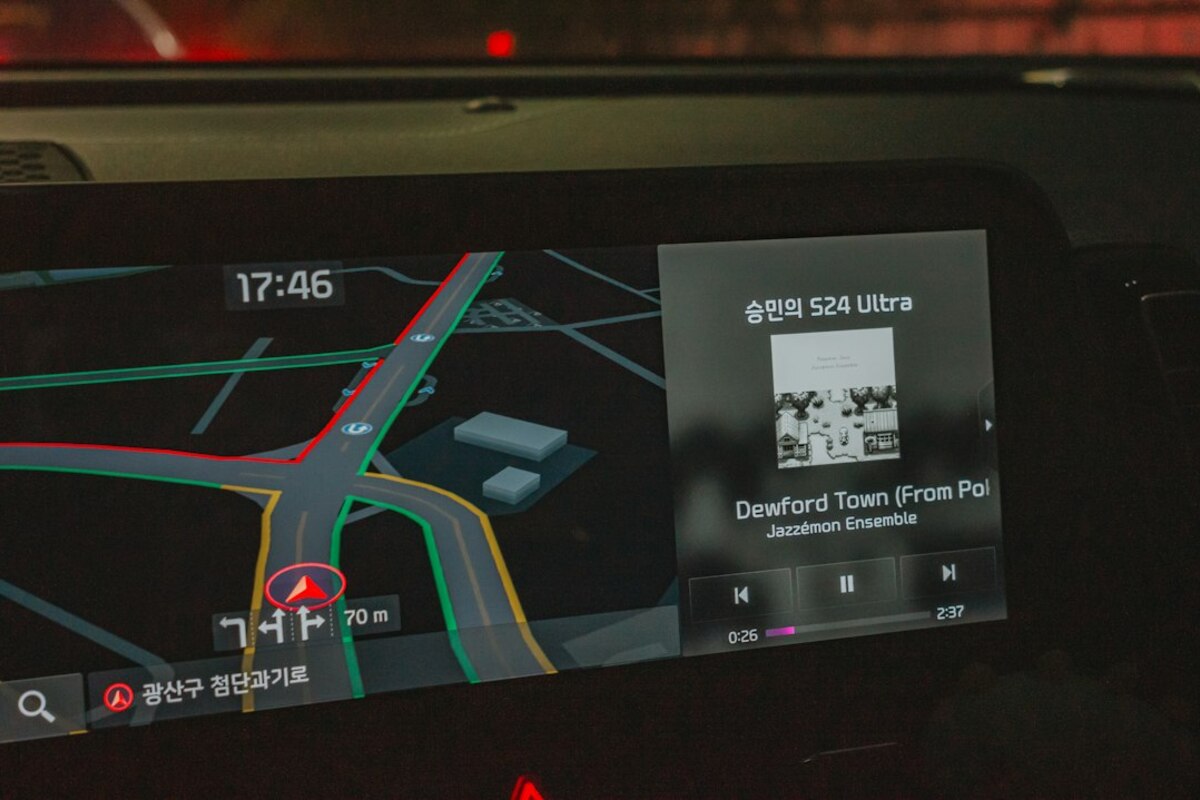
- Modern vehicles can log location history, driving behavior, phone contacts, and even in-cabin audio triggers—often longer than you expect.
- Data may flow to carmakers, app partners, insurers, and service providers through built-in connectivity and companion apps.
- You can reduce exposure by limiting app permissions, deleting paired phones, disabling certain services, and using guest modes or separate profiles.
Meet the “connected car”: helpful, convenient… and very curious
Imagine this: you borrow a friend’s car for a weekend trip. You pair your phone for music and maps. The next day you return it—easy. But a week later your friend says, “Hey, why did your favorite podcast keep popping up in my car?” That awkward moment is a small hint at a much bigger reality: modern cars can hold onto personal data like a shared computer that nobody remembers to log out of.
Today’s vehicles are packed with sensors and software. They can offer helpful features—crash detection, stolen-vehicle recovery, traffic-aware navigation, remote start, maintenance alerts, hands-free calling, and voice assistants. To do that, the car (and often a companion app) may collect and store information about you, your devices, and your driving.
This isn’t about “tinfoil hat” paranoia. It’s about everyday privacy: what gets recorded, where it goes, and how to keep your car from becoming the most personal gadget you forgot you owned.
A simple way to think about it: older cars were mostly mechanical. New cars are closer to a smartphone on wheels—plus extra sensors pointed at the road, the engine, and sometimes the cabin.

What kinds of data can your car collect?
Not every model collects the same data, and settings vary. But across the industry, there are some common buckets. The tricky part is that you may interact with only one feature (like Bluetooth audio) while the car quietly enables others (like syncing contacts or storing recent destinations).
| Data type | What it can include (plain-English examples) | Why it’s collected | Everyday privacy risk |
|---|---|---|---|
| Location & trips | Recent destinations, saved “Home/Work,” trip history, GPS traces, parking location | Navigation, roadside assistance, theft recovery, traffic services | Reveals routines (school drop-off, doctor visits, workplace), patterns over time |
| Driving behavior | Hard braking, rapid acceleration, speeding events, seatbelt use, time of day you drive | Safety features, diagnostics, usage-based insurance programs | Can be used to profile riskiness, potentially affect insurance or disputes |
| Vehicle & device identifiers | VIN, device IDs, app account IDs, SIM/eSIM identifiers | Connect services to your car and subscription | Makes it easier to link data back to you across services |
| Phone data (when paired) | Contacts, call logs, messages previews, calendars, media history | Hands-free calling, messaging, infotainment convenience | Exposes your social circle and private communications metadata |
| In-cabin interactions | Voice commands, button presses, infotainment usage, sometimes microphone triggers | Voice assistant, feature improvement, troubleshooting | Creates a record of what you asked, searched, or listened to |
| Camera/sensor data | Driver-assist camera feeds, cabin occupancy sensors, parking cameras (usually processed locally) | Lane keeping, collision warnings, parking help | Depending on system design, may be stored or shared in incidents/diagnostics |
Some of this data is stored in the car (like paired devices and navigation history). Some is sent to the manufacturer via built-in connectivity. Some is shared with partners that provide maps, voice services, crash-response operations, or analytics tools.
Here’s a real-life scenario to make it concrete:
- You sell your car privately. You remember to remove the license plate from your toll account, but you forget to delete your “Home” address in the navigation system. The new owner now has a one-tap route to where you live.
- You use a rental car for a week. You sign into a music app on the infotainment screen. If you don’t sign out, the next renter might see your profile or recently played list—or even access saved favorites.
- You join an insurance “safe driving” discount. You agree to sharing driving behavior data. Later you forget you enrolled, and you assume the car is “just a car,” not a device reporting patterns.
Where does the data go—and who can see it?
The privacy puzzle isn’t only what gets collected. It’s also the path the data takes. Connected cars tend to have multiple pipelines, and each pipeline can have its own settings and permissions.
1) Inside the car (local storage)
Think of this like a shared tablet in a family kitchen. The car may store:
- Paired Bluetooth devices
- Downloaded contacts (depending on permission)
- Recent call history
- Navigation favorites and recent destinations
- Garage door codes (HomeLink-style systems), if applicable
This data is most likely to be exposed when the car is sold, traded in, serviced, borrowed, or rented.
2) The manufacturer (telematics and cloud services)
Many vehicles come with built-in connectivity for emergency calls, remote diagnostics, and app features (lock/unlock, remote start, vehicle location, charge status for EVs). To offer that, data may be transmitted to the manufacturer’s servers.
Practical example: you open the automaker’s app and it shows your car’s location in a parking lot. That’s extremely useful—yet it also means location data is being handled outside the vehicle itself.
3) Third-party service providers (maps, voice, music, roadside)
Even if your car brand is the “main” company, features often depend on others:
- Maps/traffic providers may receive location requests and routing queries.
- Voice assistant systems may process audio commands in the cloud.
- Streaming media services operate like they do on phones: your account, your listening history.
- Roadside assistance might access location and vehicle status during a call.
In a perfect world, each provider would receive only the minimum data needed. In reality, it depends on the system design and your settings.
4) Other people who have access to your car
This one is easy to overlook because it’s not “big tech,” it’s “normal life”:
- A partner or family member who drives the car
- A valet, a mechanic, or a body shop
- A coworker you carpool with
If your infotainment system shows recent destinations or incoming message previews, the next driver might see more than you intended.
Cars with voice commands use microphones. Typically, the system waits for a wake word or a button press, then processes the request. Whether audio is stored, for how long, and whether it’s used to improve services varies by brand and settings. The practical takeaway: if your car has voice features, treat it like any voice-enabled device—check privacy settings and consider disabling voice services if you don’t use them.
Cars with voice commands use microphones. Typically, the system waits for a wake word or a button press, then processes the request. Whether audio is stored, for how long, and whether it’s used to improve services varies by brand and settings. The practical takeaway: if your car has voice features, treat it like any voice-enabled device—check privacy settings and consider disabling voice services if you don’t use them.
Skipping the app reduces some data sharing, but it may not eliminate connectivity. Many vehicles have built-in services for emergency response or diagnostics. Also, local data (paired phones, navigation history) can still accumulate inside the car even without the app.
Skipping the app reduces some data sharing, but it may not eliminate connectivity. Many vehicles have built-in services for emergency response or diagnostics. Also, local data (paired phones, navigation history) can still accumulate inside the car even without the app.
Potentially, yes—if you saved “Home,” if your recent destinations include your residence, or if your phone automatically synced calendar events with addresses. It’s one of the most common, non-technical privacy leaks when cars change hands or are shared.
Potentially, yes—if you saved “Home,” if your recent destinations include your residence, or if your phone automatically synced calendar events with addresses. It’s one of the most common, non-technical privacy leaks when cars change hands or are shared.
How to reduce car data collection without ruining the convenience
You don’t need to turn your car into a “dumb car” to get privacy benefits. A few targeted habits can significantly shrink what gets stored and shared. The goal is control: decide which features are worth the data trade and which aren’t.
Start with the fastest wins (5–10 minutes):
- Delete old paired phones. Most infotainment systems keep a list of devices. Remove anything you don’t actively use. This prevents automatic reconnection and reduces leftover contact/media data.
- Turn off contact/message syncing if you don’t need it. Many drivers only want music and maps. If the car asks to access contacts or messages, decline unless you truly use it.
- Clear navigation history and favorites. Remove “Home,” “Work,” and frequent destinations if others drive your car—or before service appointments, valet parking, or sale.
Adjust the features that quietly expand tracking:
- Review connected services in the car’s settings. Look for menus like “Privacy,” “Data sharing,” “Connected services,” “Telematics,” or “Diagnostics.” Some cars let you limit data collection to what’s required for safety or core operations.
- Check the companion app permissions. If the app has location permission “Always,” ask whether you need that. Often, “While using the app” is enough for many features.
- Opt out of marketing/analytics where possible. Some systems separate “service” data from “improvement” or “personalization” data. If you see toggles for analytics or personalized offers, disable them unless they provide value to you.
Use profiles like you would on a shared computer:
- Create a guest profile for valet parking or when someone borrows the car.
- Use separate driver profiles if your car supports them, so one person’s destinations and contacts don’t bleed into the other’s experience.
Before selling, trading in, or returning a lease (don’t skip this):
- Factory reset the infotainment system. This is the “log out of everything” step.
- Remove the vehicle from your online account. Many automakers let you see vehicles tied to your profile; remove ownership access.
- Sign out of in-car apps. Music, podcasts, navigation accounts—sign out first, then reset for good measure.
- Clear garage codes. If your car can open your garage, wipe those settings so the next owner can’t open it.
A quick analogy that helps: treat your car like a laptop you sometimes lend out. You wouldn’t leave your email logged in, your home address pinned, and your contact list synced for the next person. The same logic applies here.
One more scenario to keep in mind: you drop your car at a repair shop for two days. During diagnostics, the technician may navigate menus, test features, or drive the vehicle. If your infotainment screen shows recent destinations (including your home) or message previews, you’re sharing more than you intended—not through malice, but through default settings.
Privacy in cars is still evolving, and it’s being discussed more now because vehicles are becoming longer-lived “software platforms” with frequent updates and subscriptions. The upside is that you can often change settings and revoke permissions. The downside is that you may have to look in a few different places to do it—inside the car, in the phone app, and sometimes on a web account page.
If you take only one habit from this: do a quick “digital cleanup” whenever your car changes hands (service, valet, sale, rental). It’s the car version of logging out of a shared device—and it prevents the most common real-world privacy leaks.